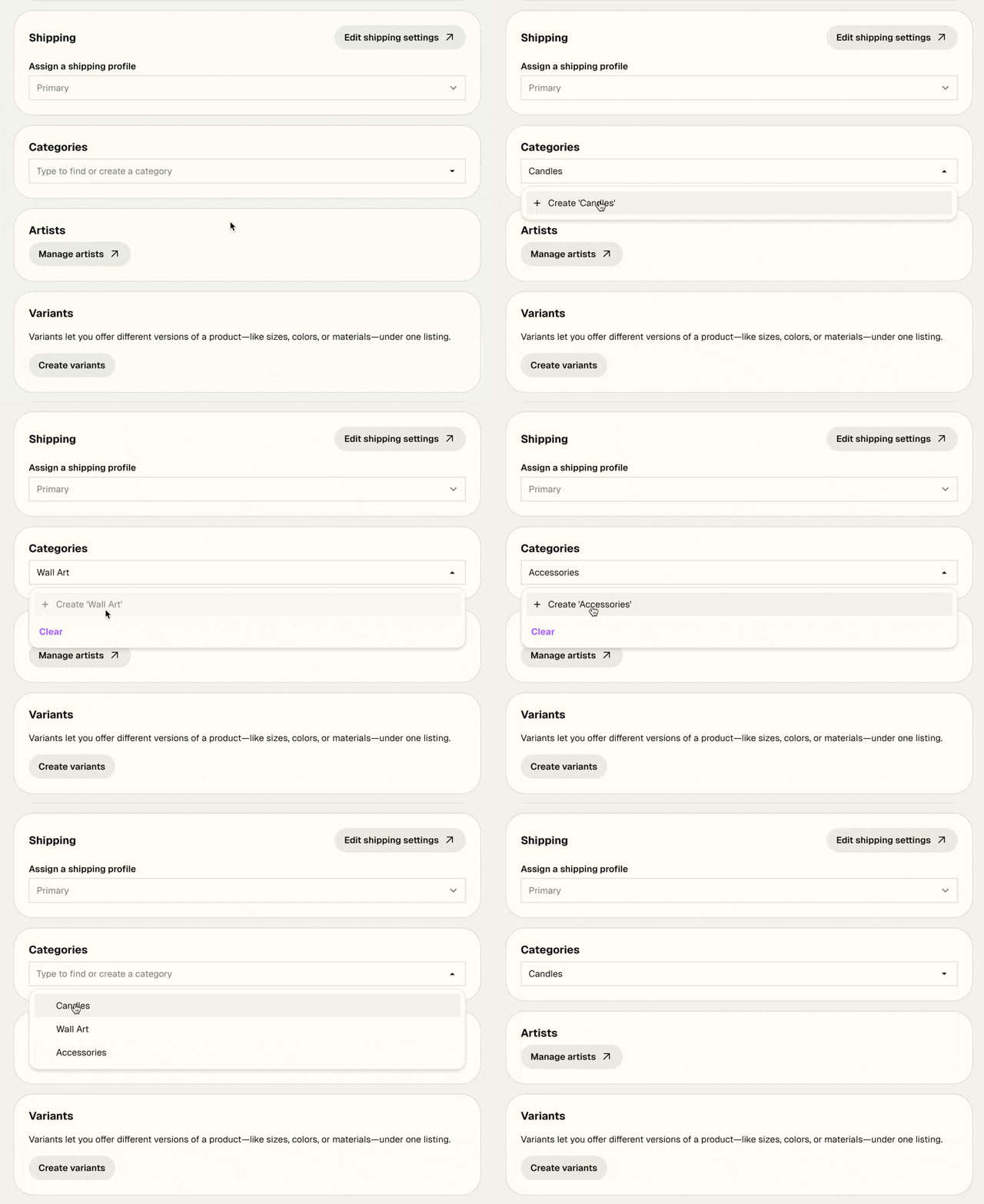
Adding categories to your products just got a lot smoother.
Before, assigning categories for the first time sent you off to a separate page — breaking your flow and making you lose track of what you were working on. Now, you can manage categories directly in the product form using a simple search field. Start typing to find an existing category, or type a new name to create one on the spot.
No more back-and-forth. Just add your category and keep going.
Managing your catalog just got faster. You can now edit prices, stock quantities, and product status directly in the table view, no need to open each product individually. Available now for Platinum and Diamond sellers!
Click any field to edit it. Changes save immediately and go live on your shop right away.
If your products have variants, click the caret next to a product to expand them and edit each variant's price and stock individually.
We've expanded our Policy Builder with a new section for legal notices—perfect for sellers who need to display required business information.
What's New:
New "Legal Notice" option in your Policy Builder
Dedicated space for mandatory business disclosures
Automatically displays in the footer on your shop once added
Supports compliance requirements across different countries
Different Names, Same Purpose: Depending on where you're located, this might be called:
Impressum (Germany, Austria)
Legal Notice or Imprint (UK)
Mentions Légales (France)
Aviso Legal (Spain)
Informazioni Legali (Italy)
特定商取引法に基づく表記 (Japan)
Why This Matters:
Meet legal requirements in the EU, Japan, and other countries that mandate business disclosure
Avoid potential fines when selling internationally
Build customer trust through transparency
Keep all your shop policies organized in one place
Important: Laws vary by country and business type. We've created the space, but can't provide legal advice on what to include. Check with a lawyer or your local business authority to ensure you're meeting your specific requirements.
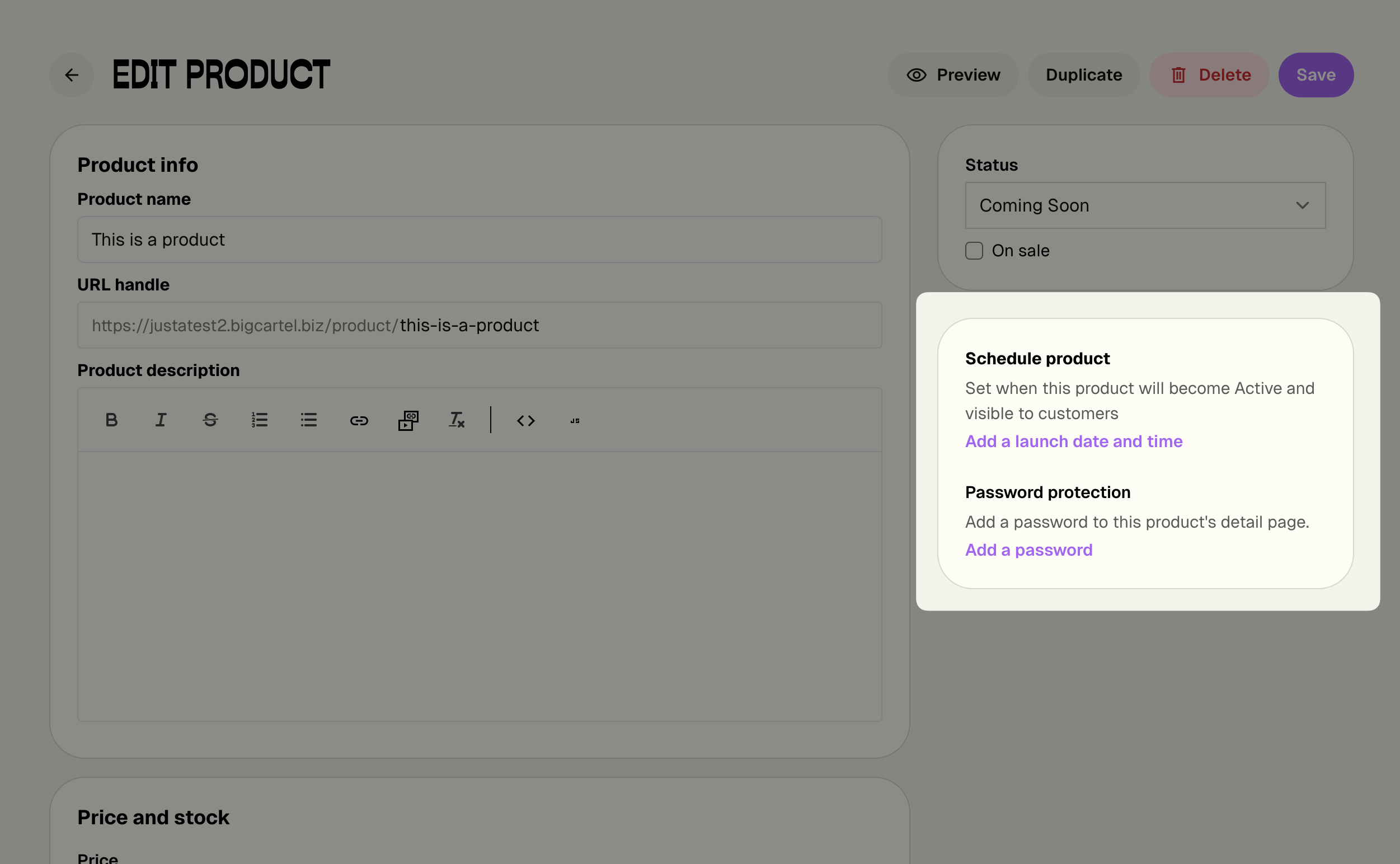
Turn your product launches into events! Schedule exact dates and times for your products to go live, and let Big Cartel handle the rest while you focus on building hype with your customers.
Note: This feature is available in the new admin experience. Still using the legacy admin? Click the link in the orange bar at the top of your admin to check it out now!
What's New:
Set launch dates and times - Schedule products to automatically go Active at the perfect moment
Bulk scheduling - Launch entire collections simultaneously with one click
Automatic notifications - Get alerts 24 hours before and at launch time
Flexible management - Change or remove schedules anytime without stress
Why This Matters:
Build anticipation - Promote your drop date and let customers mark their calendars
Launch on your terms - Go live at optimal times, even while you sleep
Coordinate marketing - Align releases with social posts, emails, and campaigns
Reduce stress - No more manual product flipping at the exact right moment
Perfect for creators - Ideal for batch makers who create products in collections
How It Works:
Set a launch date and time when creating or editing any product. Your product stays Hidden or Coming Soon until the scheduled moment, then automatically switches to Active. You'll get notified before and after launch to keep you in the loop.
Pro tip: Scheduled Drops works beautifully with Product Passwords (also in the same section!) to create VIP early access. Schedule your main launch, then give email subscribers or Patreon supporters early access with a password. It's the perfect combo for building community and creating FOMO around your releases.
Available Now for Diamond Members: This premium feature is exclusively available on the Diamond plan, giving you the professional tools you need to run strategic releases and turn launches into events.
Not on Diamond yet? Now's the perfect time to upgrade and take control of your product launches.
We've rolled out another large set of template changes and improvements across all Big Cartel templates. Every template—Cosmos, Ranger, Netizen, and beyond—now gives you more control over how your shop looks, works, and connects with buyers.
Design Details That Help You Sell
Homepage Heroes That Convert
Your homepage visuals just got smarter. Make every hero image and slideshow clickable to guide visitors exactly where you want them — featured products, new categories, or even link outside your Big Cartel shop to an external project. Just use simple relative paths (like /products) or full URLs to create instant pathways to purchase and exploration. Plus, choose between slide or fade effects for your slideshows to match your brand's vibe — because sometimes a subtle fade says more than a dramatic slide.
What's new:
Add links to hero images and slideshow slides (to shop pages or any URL)
Choose slideshow transitions: slide or fade
Product Grids That Sell Better
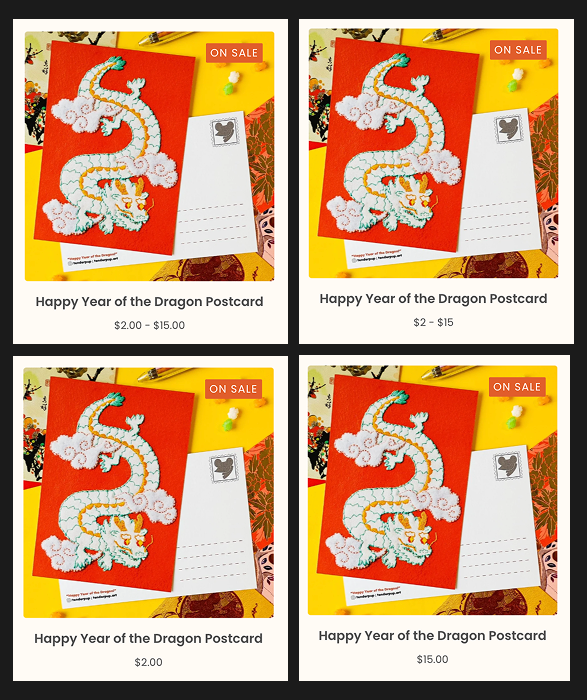
Your product grid is where browsing turns into buying, and now you have complete control over what shoppers see first. When you're selling products with multiple price points, you can choose exactly how those prices appear — show the full range to highlight value (”$10.00 - $20.00”), lead with your entry point to reduce sticker shock (”$10.00”), or showcase your premium variant pricing (”$20.00”).
You can also polish the look of your shop with whole-dollar price rounding, turning “$100.00” or “$99.99” into a clean, editorial “$100.” And to signal variety right away, turn on variant counts so shoppers know how many options each product offers—whether that’s “3 styles” or “7 colors,” with labels you can fully customize in our recently added “Text and Translations” feature.
Together, these details transform your product grid from a simple catalog into a strategic selling tool that guides shoppers exactly where you want them to go.
What’s new:
Flexible multi-variant price display: range, lowest, or highest
Whole-dollar price rounding for a cleaner look
Display variant counts
See below how the same product feels different with combinations of the new settings — subtle shifts that shape how shoppers perceive your prices and your brand. In this example, this postcard has multiple variants with pricing ranging from $2.00 to $15.00. You have options to control whether you show a price range, the lowest/highest price, and whether the prices are rounded or not.
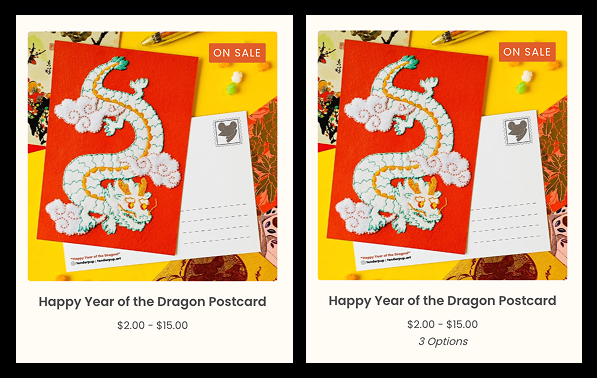
Additionally, we now give you options to show whether your products have multiple variants/options which can encourage your shoppers to click-through to explore more:
Navigation Your Way
Take full control of your shop’s navigation: decide what appears in your header, footer, or nowhere at all. Perfect for keeping secondary pages—like newsletter sign-ups or care instructions—accessible without clutter. You can also match navigation text styling to your brand’s voice with quick casing options.
What's new:
Choose which page types appear in header vs. footer (all pages, custom pages only, contact, or none)
Control how many custom pages to display when shown
Style your nav text with casing options: UPPERCASE, lowercase, or default
Connect With Buyers Your Way
Your community is spread across the internet and we’ve added some small but important things that can help you make your Big Cartel shop a bigger part of where your audiences live.
Expanded social network support
Reach your audience wherever they are. We’ve added Reddit, Signal, Telegram, and Discord to your social link options, automatically placed in your shop’s footer.
Communication on your terms
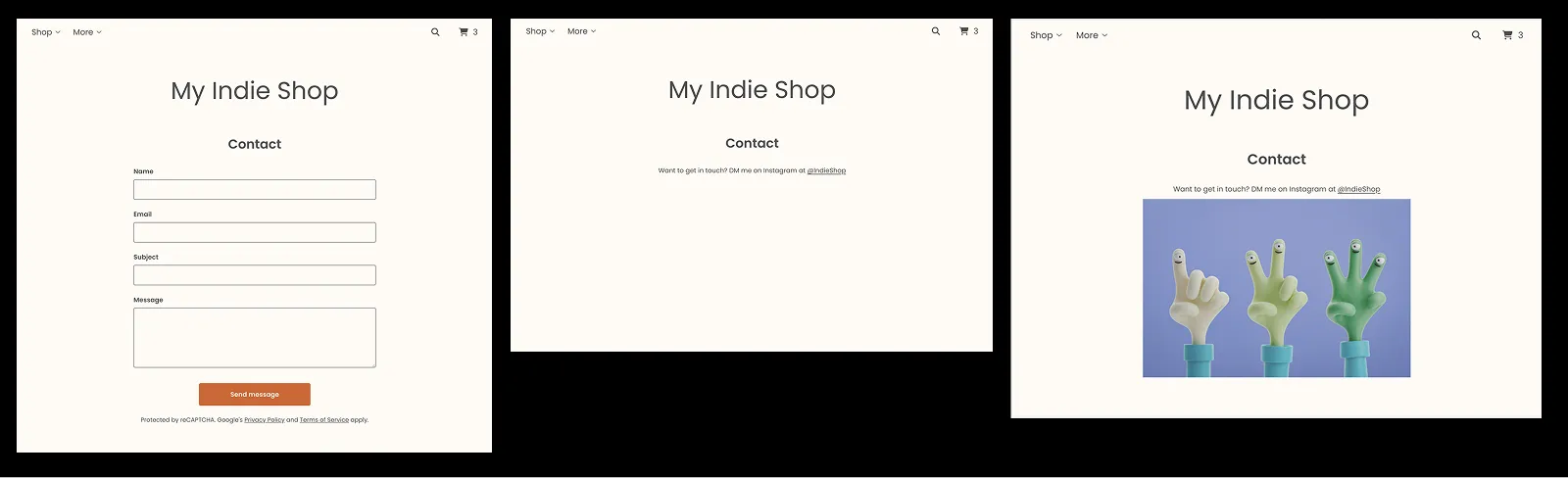
Not every seller wants to juggle a contact form sending emails to your inbox. If you're already managing conversations through Instagram DMs, email, or some other app, you can now turn off your shop's contact form entirely and replace it with a custom message pointing buyers to how you want to connect. Want to remove the contact page completely? Just turn off the contact form and use the new navigation controls to remove it from your header and footer — your shop, your rules.
You can optionally take it further by using custom HTML in your contact page announcement setting to embed images, styled text, or anything else that makes your contact page uniquely yours — from a simple redirect message to a full visual experience.
What’s new:
Turn off the shop’s default contact form
Add custom text, links, or HTML to your contact page announcement
Remove the contact page entirely from navigation
Quick reminder: If you haven't tried Chatway yet, it's still one of the easiest ways to stay connected with shoppers — managing conversations from your website, Instagram, WhatsApp, and Facebook Messenger all in one app on your phone. It’s an app integration with a generous free plan for all Big Cartel shops on a paid plan.
Ready to customize?
Head to Shop Designer and update to the latest template version. All these features are waiting for you.
Add a personal touch to your shop with our new Featured Text setting! Now you can easily add custom messages, announcements, or promotional text right on your homepage — perfect for welcoming visitors, highlighting sales, or sharing important updates.
What you can do with Featured Text:
Add a warm welcome message for your shoppers
Include links to specific categories or products using HTML
Easy positioning above or within your featured items section
Sellers on paid plans have even more control with our custom CSS feature with which you can create more complex styling and content
Ready to try it? Head to your shop designer, go to Settings → Homepage Settings, and look for the new Featured Message setting. This feature is available in all our latest themes for both free and paid shops. If you're using an older theme, simply upgrade to any of our latest themes to access this feature.
Big news! We’ve upgraded Big Cartel shop templates to help you reach global audiences, showcase products clearly, and simplify store management.
Multilingual shop support
Automatically translate your shop into 20 languages, or manually adjust translations to perfectly match your brand. Easily expand your reach and connect with customers worldwide.
Improved currency display
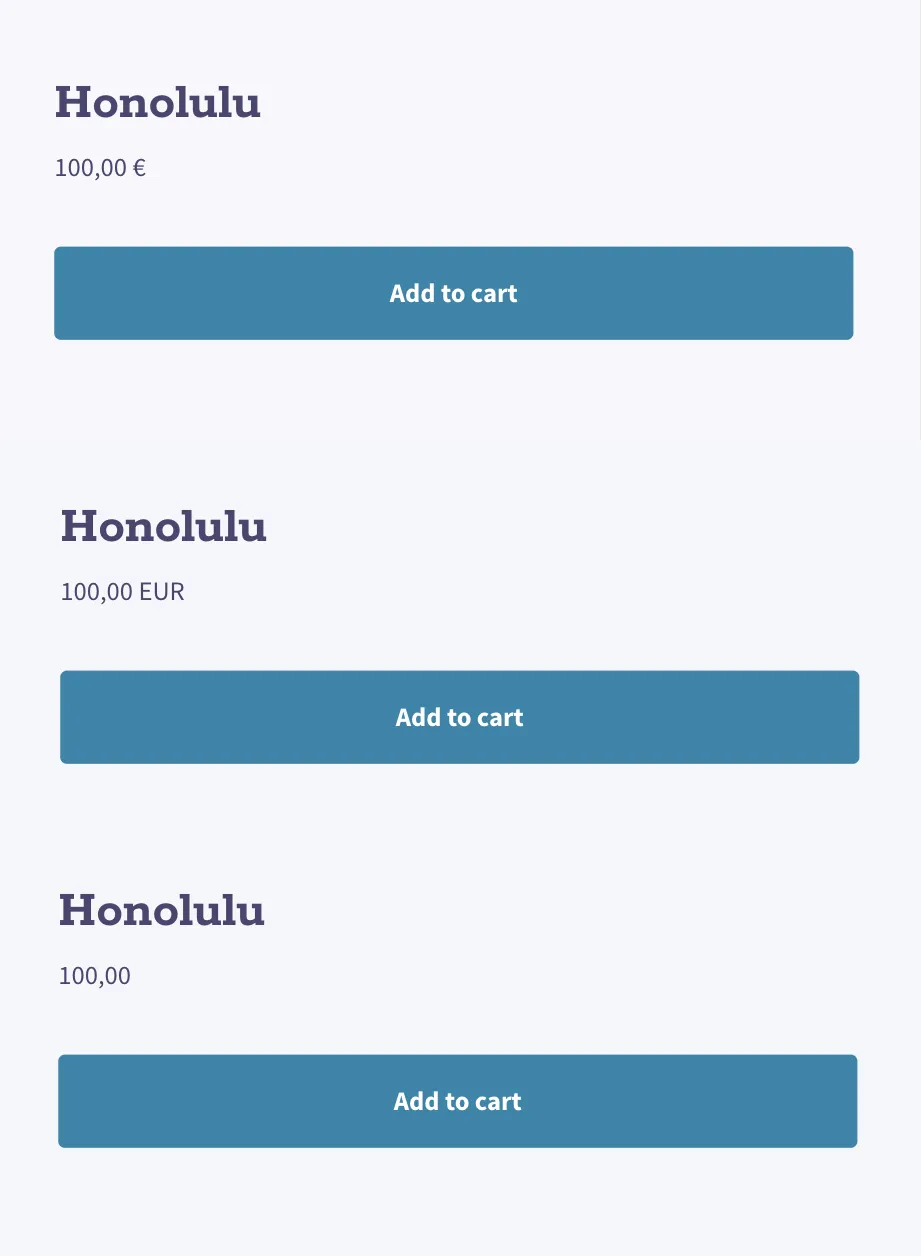
Clearly show prices with currency symbols, currency codes, or no indicator at all—ideal for any international audience.
Enhanced announcement and cart page messaging
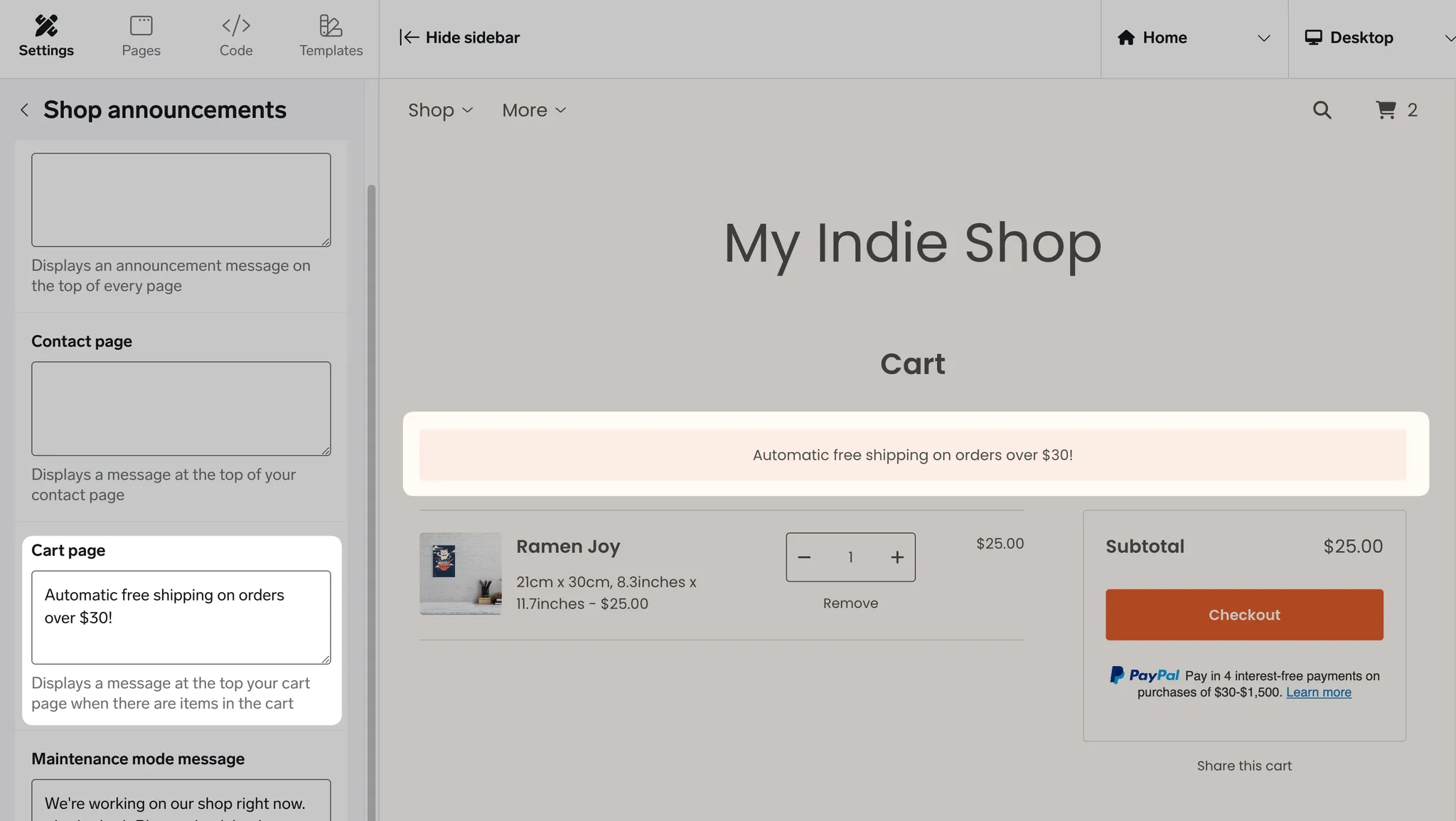
Announcement banners and custom cart page text are now available across all themes. Easily format your announcements with HTML support to include links, bold text, and more. Clearly communicate important updates and guide your customers seamlessly through checkout.
Homepage featured videos
Highlight your products, your story, or your creative process directly on your homepage. Now available in our most popular themes including Cosmos, Roadie, Luna, Ranger and Rodie.
Other changes:
Paid-plan users can now easily hide the Big Cartel footer credit—no custom CSS required. Not on a paid plan yet? Upgrade now to access this and other helpful features.
Cosmos and Trace have more customizable header logo sizes
Neat and Lunch Break offers more options and control over the menu navigation
Ready to explore these updates? Make sure you’re using the latest version of your template—head to the Shop designer and dive in!
We just made your shop’s checkout more welcoming for your global customers. Your shop's checkout experience now automatically is translated in 20 languages based on your shopper’s browser settings—no extra work from you!
Why this matters
A localized checkout helps non-English speakers feel right at home, boosting trust and making it easier for them to complete their purchase. That means:
Better shopping experience at the most important step: checkout
Increased conversions for international customers
More trust and clarity with native language support
What’s supported
The checkout now supports 20 languages, including:
Japanese, Korean, Chinese (Traditional & Simplified)
French (and French Canadian), Spanish (and Mexican Spanish)