
NEW: Schedule Product Drops 📅
1762178400000
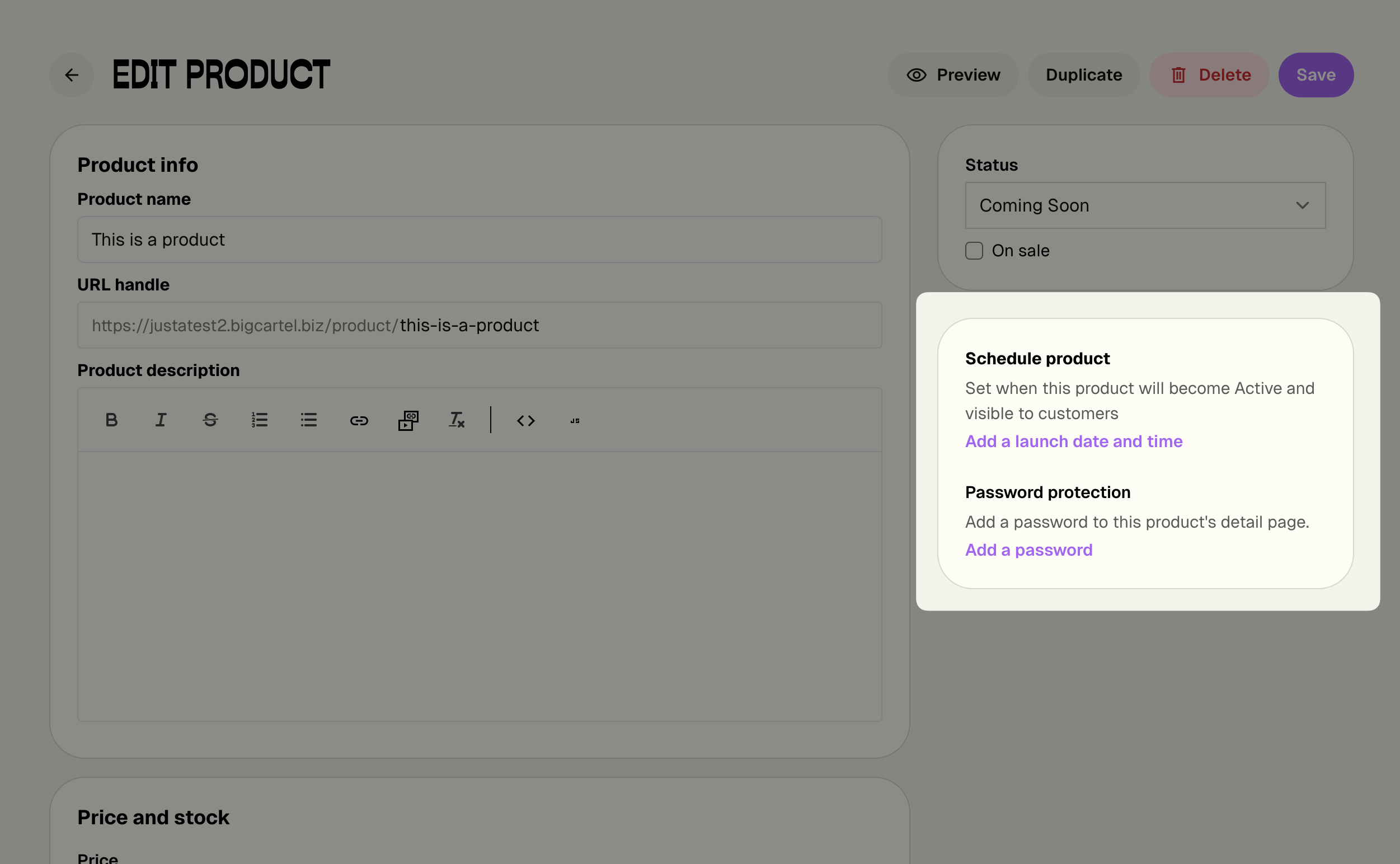
Turn your product launches into events! Schedule exact dates and times for your products to go live, and let Big Cartel handle the rest while you focus on building hype with your customers.
Note: This feature is available in the new admin experience. Still using the legacy admin? Click the link in the orange bar at the top of your admin to check it out now!
What's New:
Set launch dates and times - Schedule products to automatically go Active at the perfect moment
Bulk scheduling - Launch entire collections simultaneously with one click
Automatic notifications - Get alerts 24 hours before and at launch time
Flexible management - Change or remove schedules anytime without stress
Why This Matters:
Build anticipation - Promote your drop date and let customers mark their calendars
Launch on your terms - Go live at optimal times, even while you sleep
Coordinate marketing - Align releases with social posts, emails, and campaigns
Reduce stress - No more manual product flipping at the exact right moment
Perfect for creators - Ideal for batch makers who create products in collections
How It Works:
Set a launch date and time when creating or editing any product. Your product stays Hidden or Coming Soon until the scheduled moment, then automatically switches to Active. You'll get notified before and after launch to keep you in the loop.
Pro tip: Scheduled Drops works beautifully with Product Passwords (also in the same section!) to create VIP early access. Schedule your main launch, then give email subscribers or Patreon supporters early access with a password. It's the perfect combo for building community and creating FOMO around your releases.
Available Now for Diamond Members: This premium feature is exclusively available on the Diamond plan, giving you the professional tools you need to run strategic releases and turn launches into events.
Not on Diamond yet? Now's the perfect time to upgrade and take control of your product launches.
Ready to get started? Check out our help article: Schedule Product Drops
Questions? Our support team is here to help!
Did you like this update?


