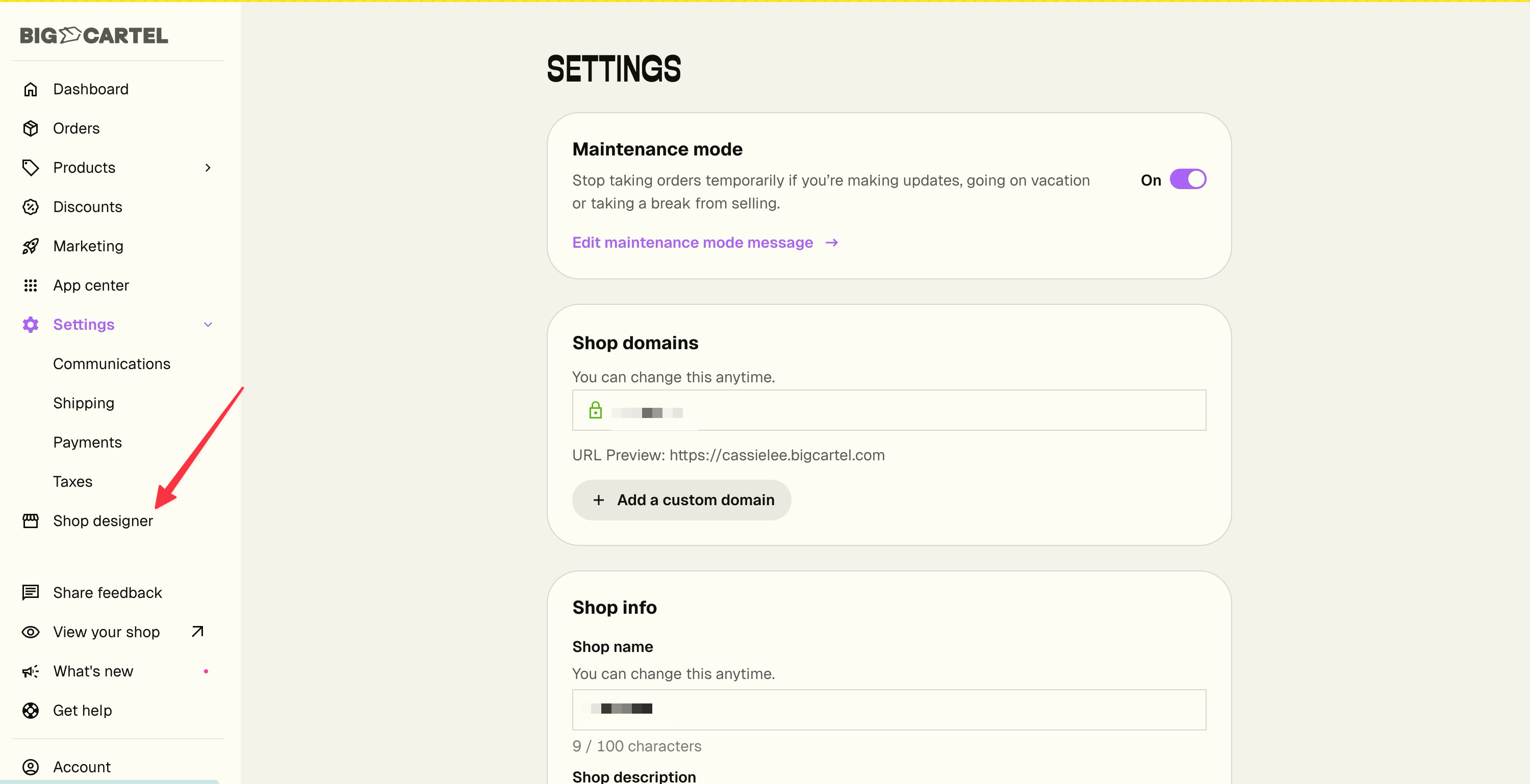
Designing your shop just got a little less hide-and-seek. Shop designer now lives right in your main menu instead of tucked away in Settings.
Nothing about the designer itself has changed — it's the same place you go to swap your theme, add your shop logo, pick your fonts, and adjust your colors. It's just a lot easier to get to. Look for it in the left menu, right below Settings.
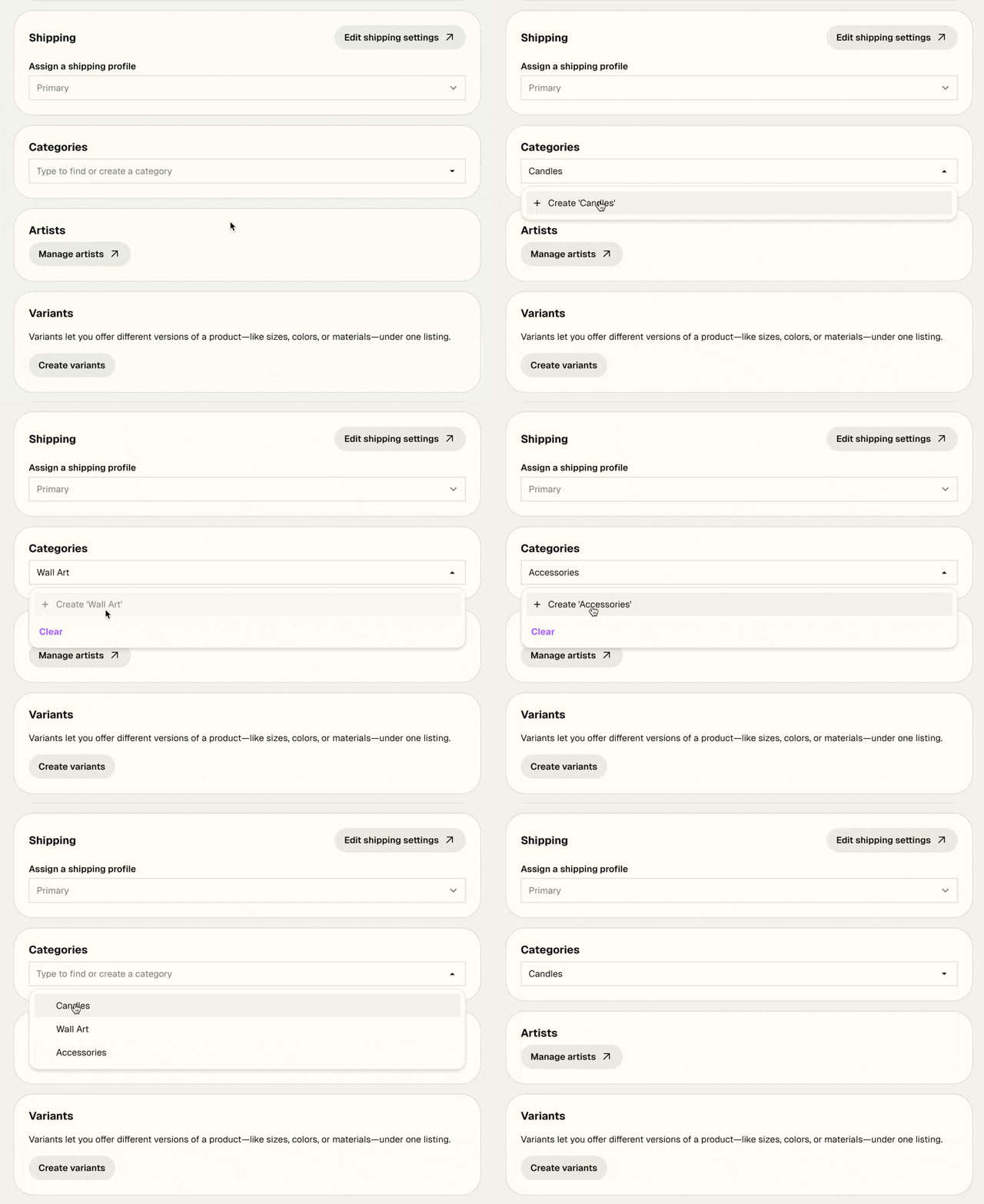
Adding categories to your products just got a lot smoother.
Before, assigning categories for the first time sent you off to a separate page — breaking your flow and making you lose track of what you were working on. Now, you can manage categories directly in the product form using a simple search field. Start typing to find an existing category, or type a new name to create one on the spot.
No more back-and-forth. Just add your category and keep going.
Managing your catalog just got faster. You can now edit prices, stock quantities, and product status directly in the table view, no need to open each product individually. Available now for Platinum and Diamond sellers!
Click any field to edit it. Changes save immediately and go live on your shop right away.
If your products have variants, click the caret next to a product to expand them and edit each variant's price and stock individually.
We've been reworking the Shipping Settings page to make setup faster and tweaks quicker.
The biggest change, new today: you can assign products to a shipping profile directly from Shipping Settings. Open a profile, pick the products that belong, you're done. Before this, you had to go to each product one at a time.
The page also loads faster if your shop has several profiles, and most edits take fewer clicks to make.
A reminder: combined rates at checkout for shipping profiles
When a buyer has products from multiple profiles in their cart, they can pay one combined shipping total at checkout. If you haven't grouped your products into profiles yet, it's worth the time. Click here to learn more
We've expanded our Policy Builder with a new section for legal notices—perfect for sellers who need to display required business information.
What's New:
New "Legal Notice" option in your Policy Builder
Dedicated space for mandatory business disclosures
Automatically displays in the footer on your shop once added
Supports compliance requirements across different countries
Different Names, Same Purpose: Depending on where you're located, this might be called:
Impressum (Germany, Austria)
Legal Notice or Imprint (UK)
Mentions Légales (France)
Aviso Legal (Spain)
Informazioni Legali (Italy)
特定商取引法に基づく表記 (Japan)
Why This Matters:
Meet legal requirements in the EU, Japan, and other countries that mandate business disclosure
Avoid potential fines when selling internationally
Build customer trust through transparency
Keep all your shop policies organized in one place
Important: Laws vary by country and business type. We've created the space, but can't provide legal advice on what to include. Check with a lawyer or your local business authority to ensure you're meeting your specific requirements.
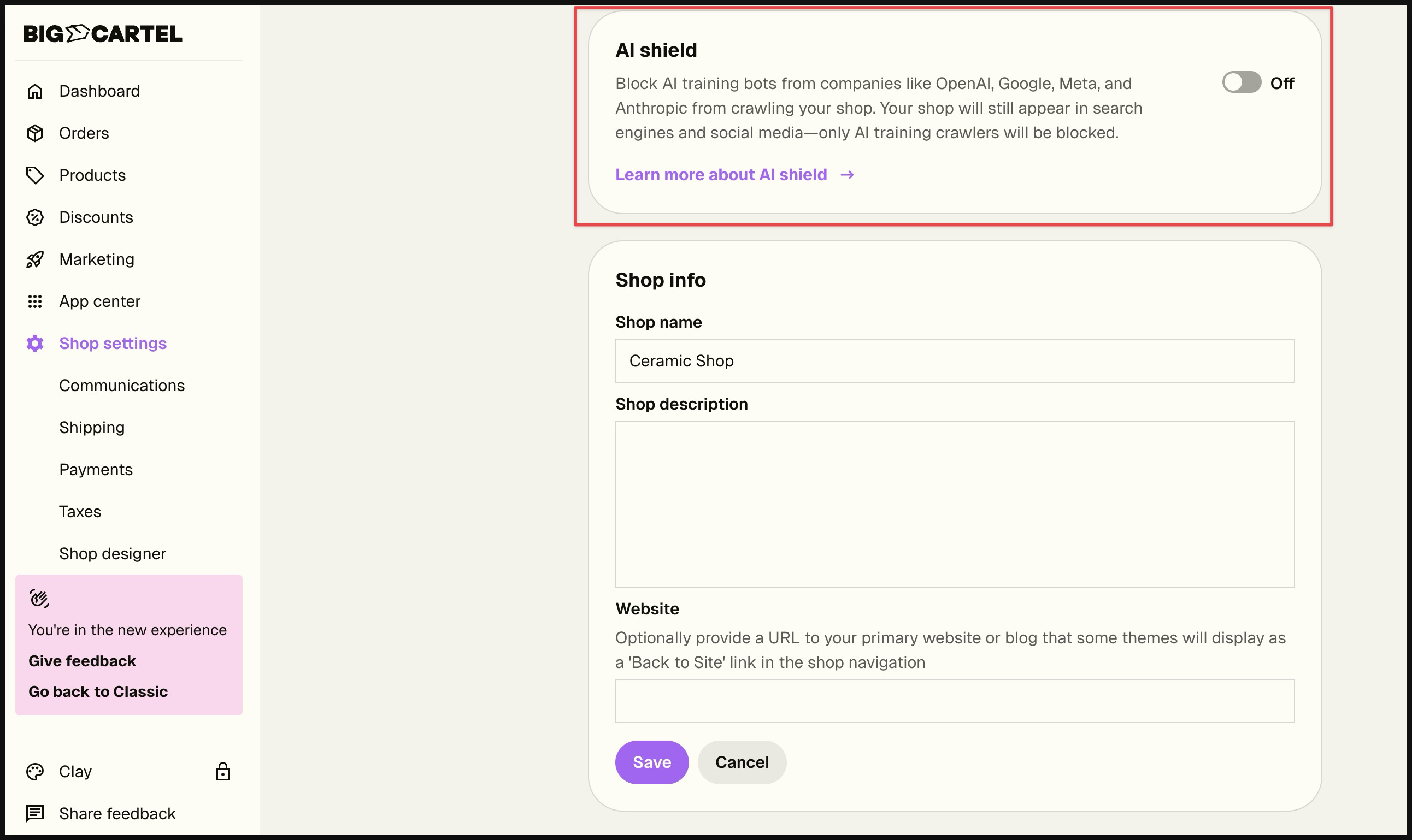
For many of our sellers, how AI uses your content is one of the most important concerns you have. We listened, we hear you, and we created AI Shield—a simple way to control whether tech companies can access your shop to train their AI models. We want to respect your choices and give you the tools to make informed decisions about your content.
This feature is now available for both free and paid plans.
What it does: When enabled, AI Shield blocks AI training crawlers (like GPTBot, ClaudeBot, and Google-Extended) from collecting your content to train future AI models.
What it doesn't affect:
Your SEO and search rankings remain unchanged
Your products still appear in Google, Bing, and other search engines
AI-powered search tools (like Google, Bing, ChatGPT Search) can still index and surface your shop to potential customers
Social media link previews continue working normally
Why this matters: Some sellers want to contribute their content to help train AI models. Others prefer to opt out of AI training. Now you can choose what works for you.
How to use it: In the new Big Cartel admin, go to Shop Settings and toggle AI Shield on or off based on your preference (note: this feature is only available in the new shop admin):
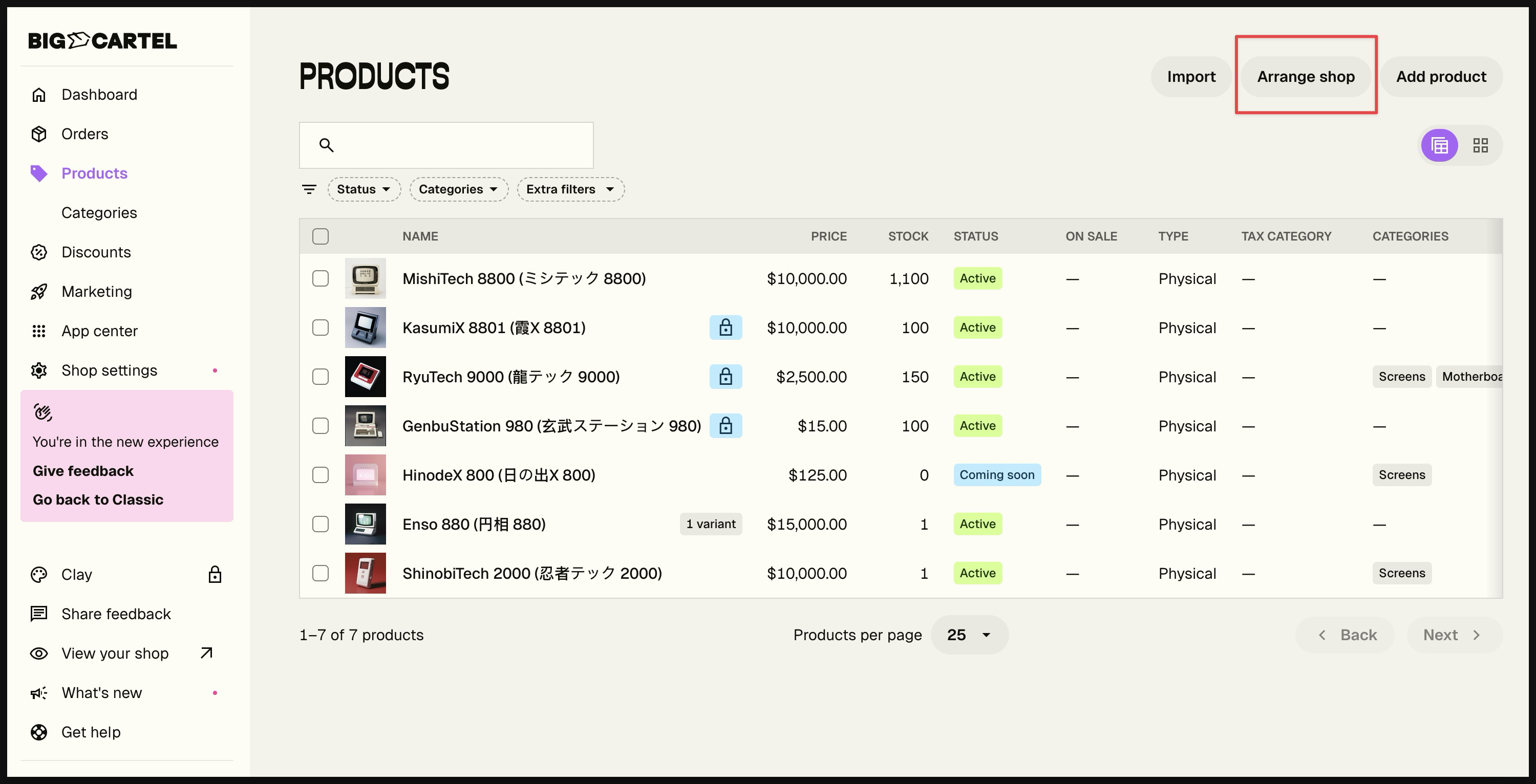
You asked, and we delivered! Product lists now default to your shop display order instead of most recently created. This applies to both table and grid views. To reorder products, continue navigating to Arrange shop.
Sell instantly. Ship nothing. Digital Products are now available in the new admin experience, giving creators a simple way to offer downloadable files directly through Big Cartel.
Note: This feature is available in the new admin experience. Still using the legacy admin? Click the orange banner at the top of your admin to switch.
What’s New:
Digital Product type - Create products specifically for downloadable files.
Automatic delivery - Buyers receive instant access by email and on their receipt page.
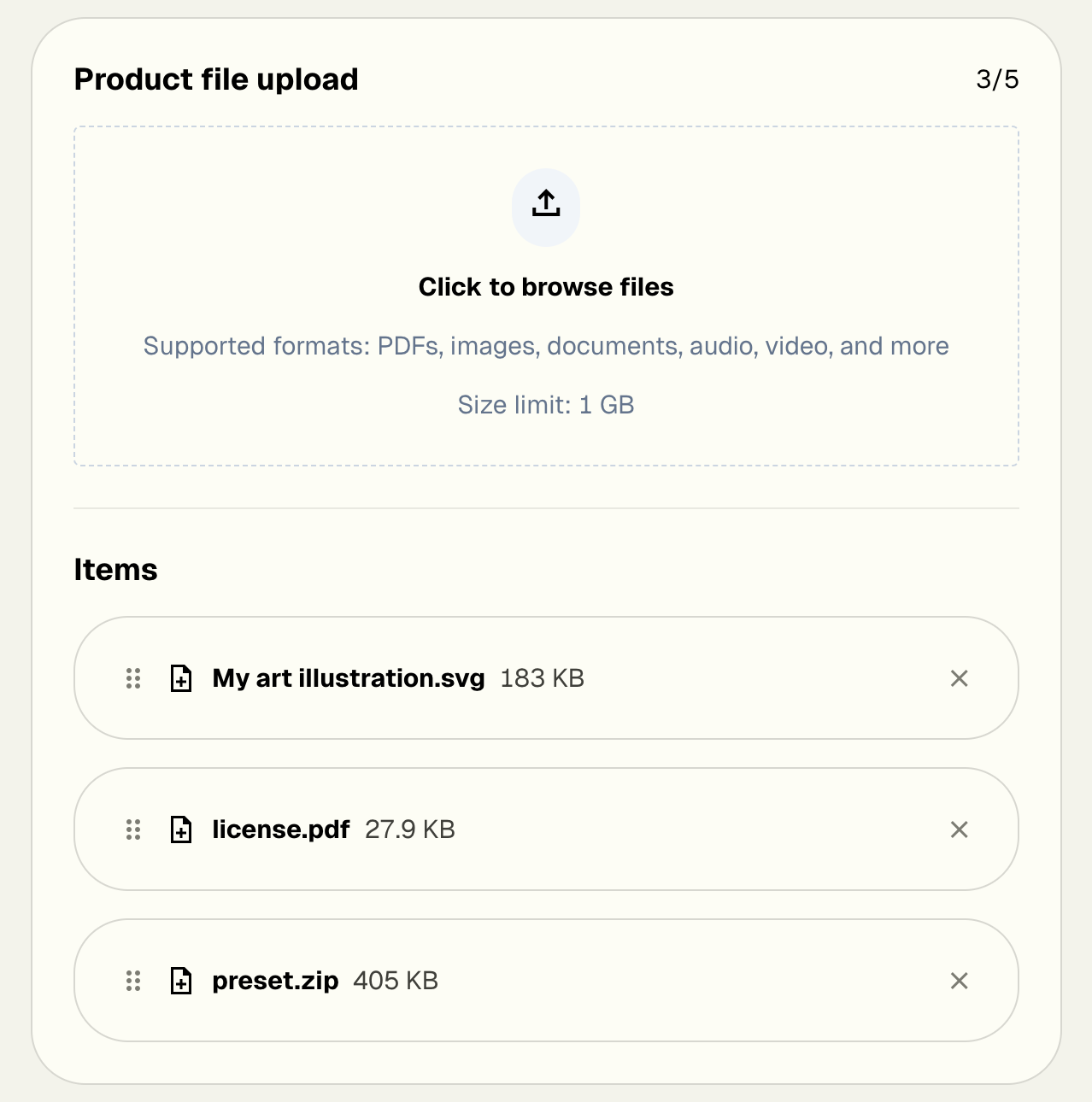
Multiple file support - Upload several files to one product, ideal for bundles and multi-part content.
Included storage - Generous storage for Platinum and Diamond plans with no buyer download limits.
Why This Matters
Expand your catalog with files like art, guides, templates, music, and more.
Skip the shipping with fully automated delivery.
Earn passively with products that never run out of stock.
Perfect for creators who want to sell digital content directly to their audience.
How It Works
Create a product in the new admin and choose Digital Product. Upload your files, set a price, and publish. We handle all delivery and hosting behind the scenes so you can focus on creating.
Pro tip: Combine multiple files to a zip file to offer bonus packs, resources, or add-on materials for your customers.
Digital Products are available now for Platinum and Diamond sellers at no extra cost.
On Gold? Upgrade to unlock Digital Products and start selling downloadable items today.