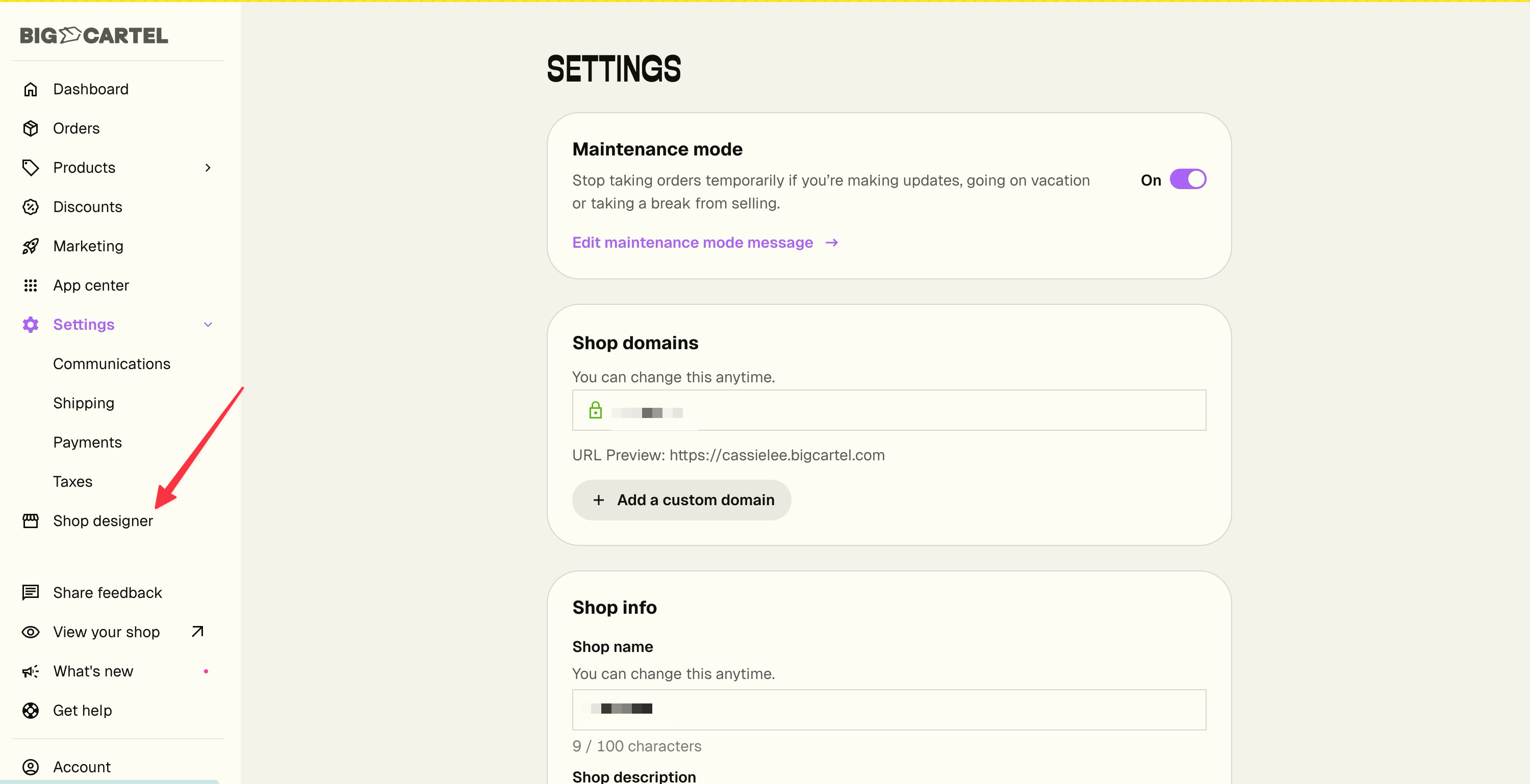
Designing your shop just got a little less hide-and-seek. Shop designer now lives right in your main menu instead of tucked away in Settings.
Nothing about the designer itself has changed — it's the same place you go to swap your theme, add your shop logo, pick your fonts, and adjust your colors. It's just a lot easier to get to. Look for it in the left menu, right below Settings.
We've been reworking the Shipping Settings page to make setup faster and tweaks quicker.
The biggest change, new today: you can assign products to a shipping profile directly from Shipping Settings. Open a profile, pick the products that belong, you're done. Before this, you had to go to each product one at a time.
The page also loads faster if your shop has several profiles, and most edits take fewer clicks to make.
A reminder: combined rates at checkout for shipping profiles
When a buyer has products from multiple profiles in their cart, they can pay one combined shipping total at checkout. If you haven't grouped your products into profiles yet, it's worth the time. Click here to learn more
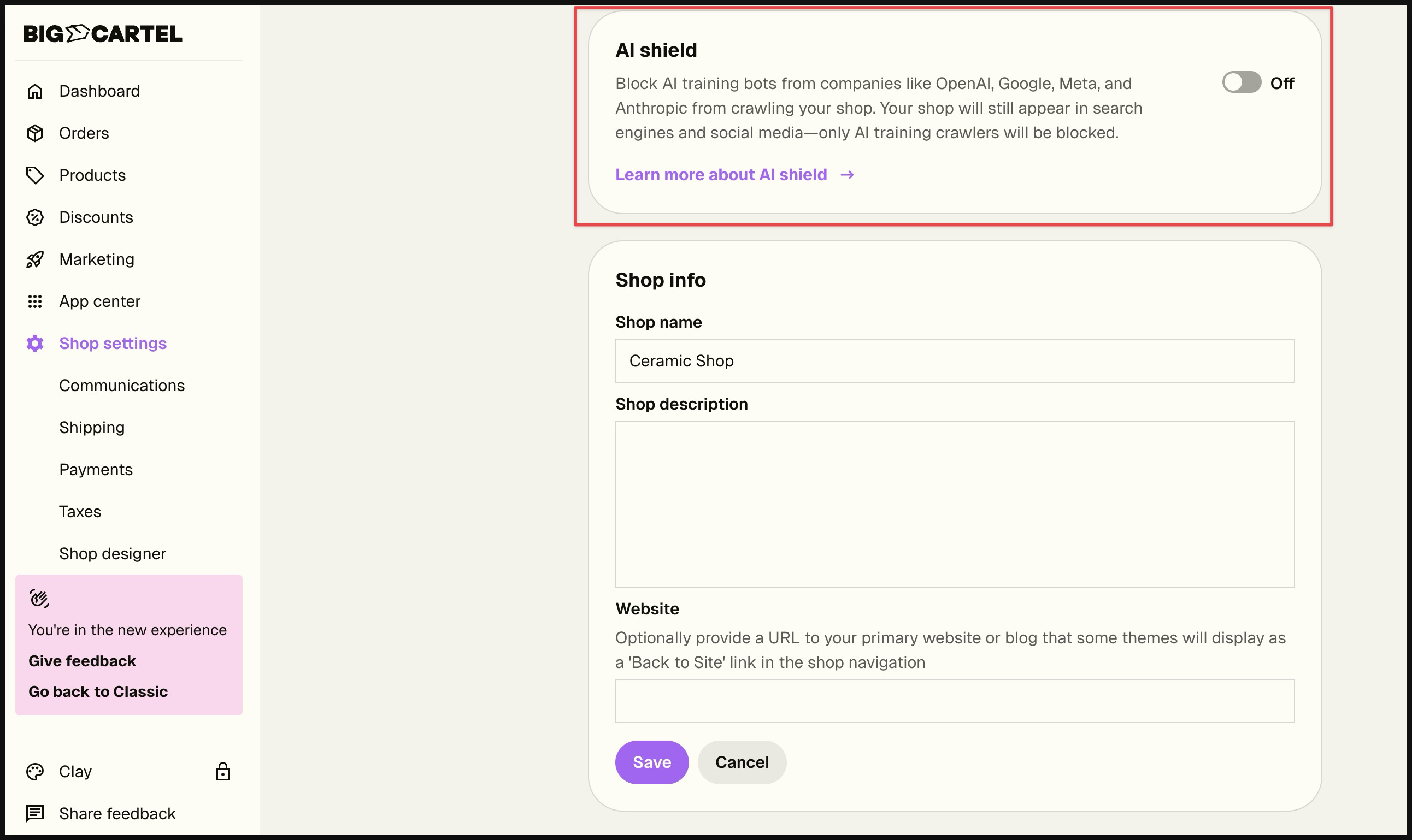
For many of our sellers, how AI uses your content is one of the most important concerns you have. We listened, we hear you, and we created AI Shield—a simple way to control whether tech companies can access your shop to train their AI models. We want to respect your choices and give you the tools to make informed decisions about your content.
This feature is now available for both free and paid plans.
What it does: When enabled, AI Shield blocks AI training crawlers (like GPTBot, ClaudeBot, and Google-Extended) from collecting your content to train future AI models.
What it doesn't affect:
Your SEO and search rankings remain unchanged
Your products still appear in Google, Bing, and other search engines
AI-powered search tools (like Google, Bing, ChatGPT Search) can still index and surface your shop to potential customers
Social media link previews continue working normally
Why this matters: Some sellers want to contribute their content to help train AI models. Others prefer to opt out of AI training. Now you can choose what works for you.
How to use it: In the new Big Cartel admin, go to Shop Settings and toggle AI Shield on or off based on your preference (note: this feature is only available in the new shop admin):
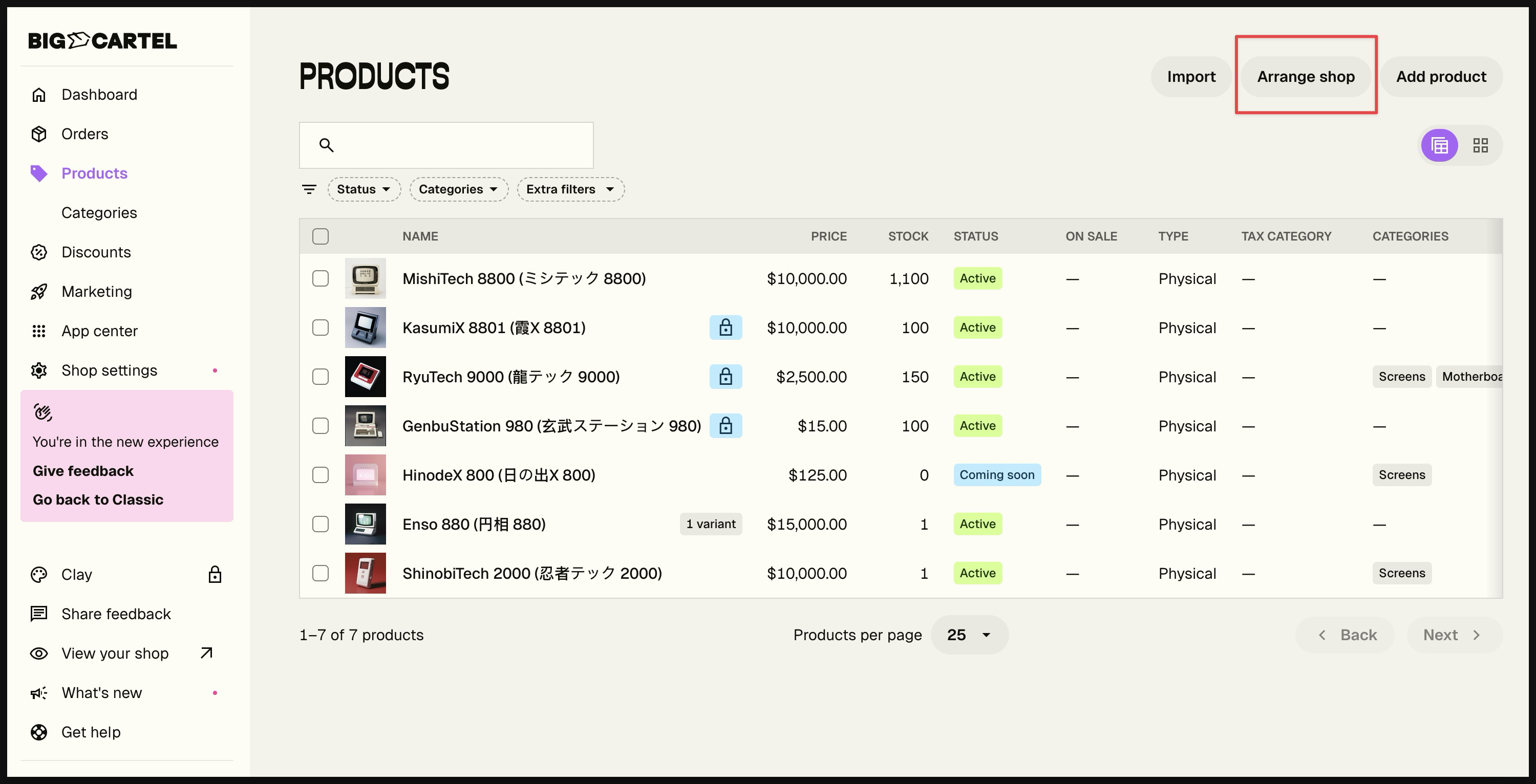
You asked, and we delivered! Product lists now default to your shop display order instead of most recently created. This applies to both table and grid views. To reorder products, continue navigating to Arrange shop.
Sell instantly. Ship nothing. Digital Products are now available in the new admin experience, giving creators a simple way to offer downloadable files directly through Big Cartel.
Note: This feature is available in the new admin experience. Still using the legacy admin? Click the orange banner at the top of your admin to switch.
What’s New:
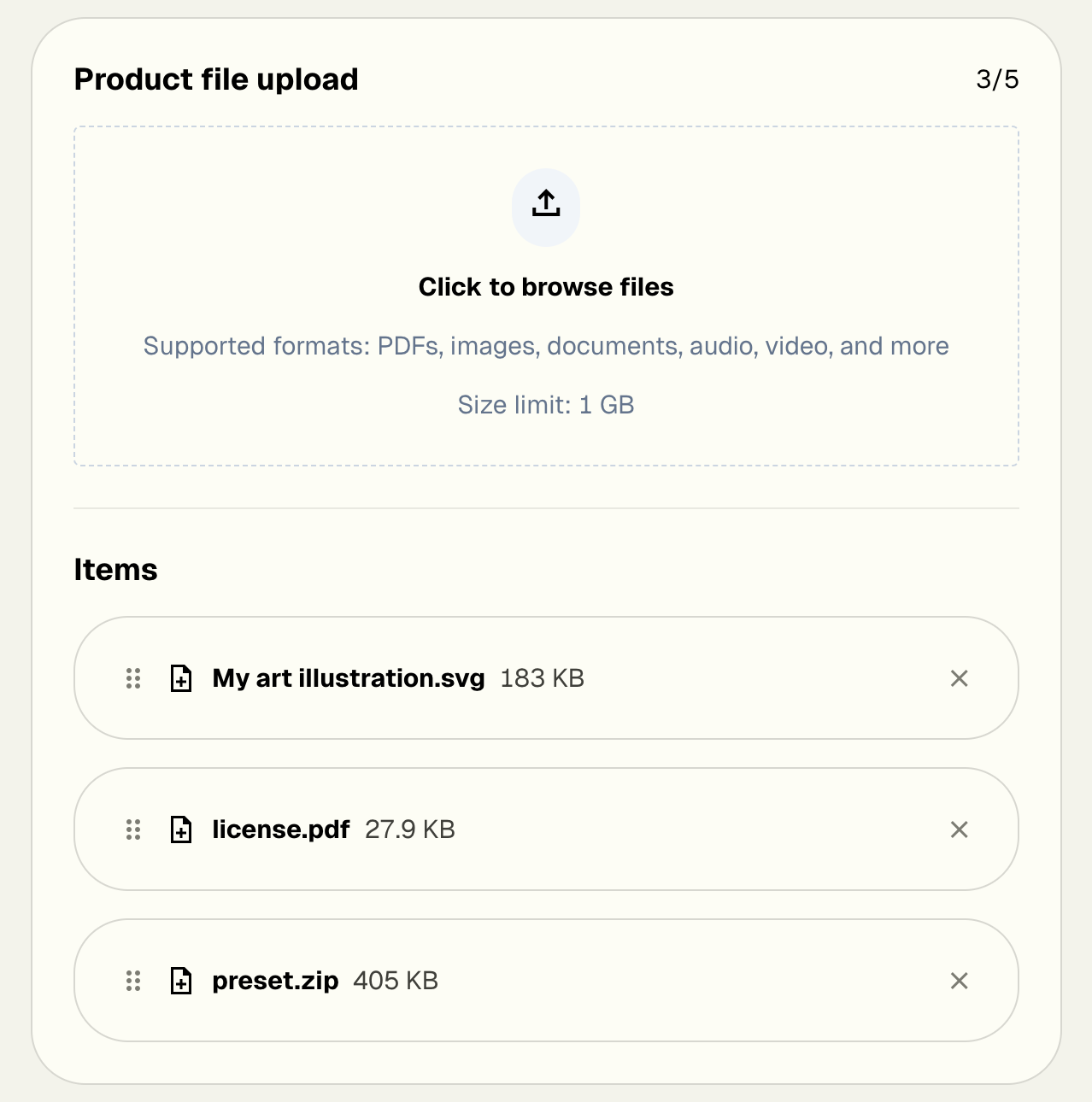
Digital Product type - Create products specifically for downloadable files.
Automatic delivery - Buyers receive instant access by email and on their receipt page.
Multiple file support - Upload several files to one product, ideal for bundles and multi-part content.
Included storage - Generous storage for Platinum and Diamond plans with no buyer download limits.
Why This Matters
Expand your catalog with files like art, guides, templates, music, and more.
Skip the shipping with fully automated delivery.
Earn passively with products that never run out of stock.
Perfect for creators who want to sell digital content directly to their audience.
How It Works
Create a product in the new admin and choose Digital Product. Upload your files, set a price, and publish. We handle all delivery and hosting behind the scenes so you can focus on creating.
Pro tip: Combine multiple files to a zip file to offer bonus packs, resources, or add-on materials for your customers.
Digital Products are available now for Platinum and Diamond sellers at no extra cost.
On Gold? Upgrade to unlock Digital Products and start selling downloadable items today.
Turn your product launches into events! Schedule exact dates and times for your products to go live, and let Big Cartel handle the rest while you focus on building hype with your customers.
Note: This feature is available in the new admin experience. Still using the legacy admin? Click the link in the orange bar at the top of your admin to check it out now!
What's New:
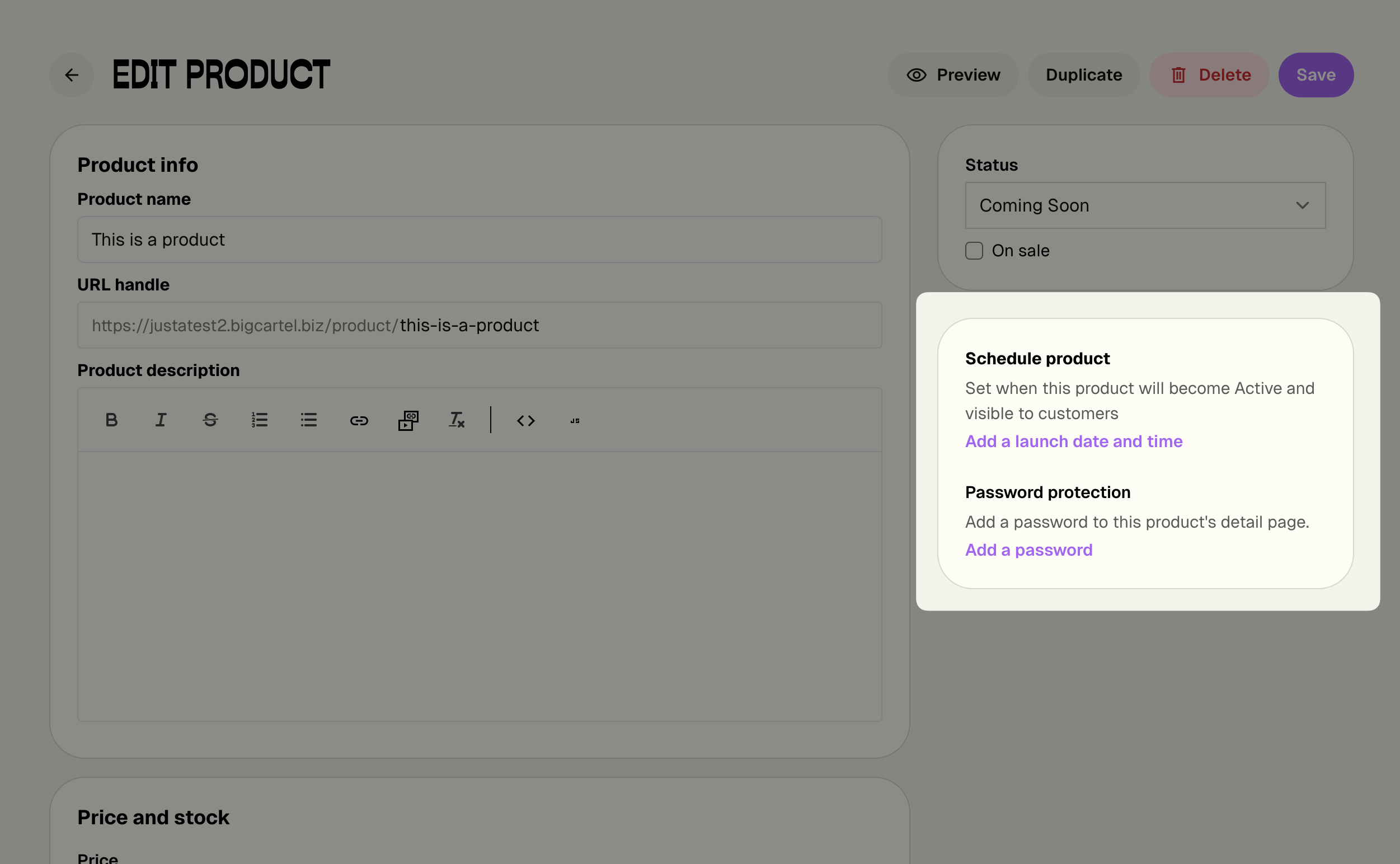
Set launch dates and times - Schedule products to automatically go Active at the perfect moment
Bulk scheduling - Launch entire collections simultaneously with one click
Automatic notifications - Get alerts 24 hours before and at launch time
Flexible management - Change or remove schedules anytime without stress
Why This Matters:
Build anticipation - Promote your drop date and let customers mark their calendars
Launch on your terms - Go live at optimal times, even while you sleep
Coordinate marketing - Align releases with social posts, emails, and campaigns
Reduce stress - No more manual product flipping at the exact right moment
Perfect for creators - Ideal for batch makers who create products in collections
How It Works:
Set a launch date and time when creating or editing any product. Your product stays Hidden or Coming Soon until the scheduled moment, then automatically switches to Active. You'll get notified before and after launch to keep you in the loop.
Pro tip: Scheduled Drops works beautifully with Product Passwords (also in the same section!) to create VIP early access. Schedule your main launch, then give email subscribers or Patreon supporters early access with a password. It's the perfect combo for building community and creating FOMO around your releases.
Available Now for Diamond Members: This premium feature is exclusively available on the Diamond plan, giving you the professional tools you need to run strategic releases and turn launches into events.
Not on Diamond yet? Now's the perfect time to upgrade and take control of your product launches.
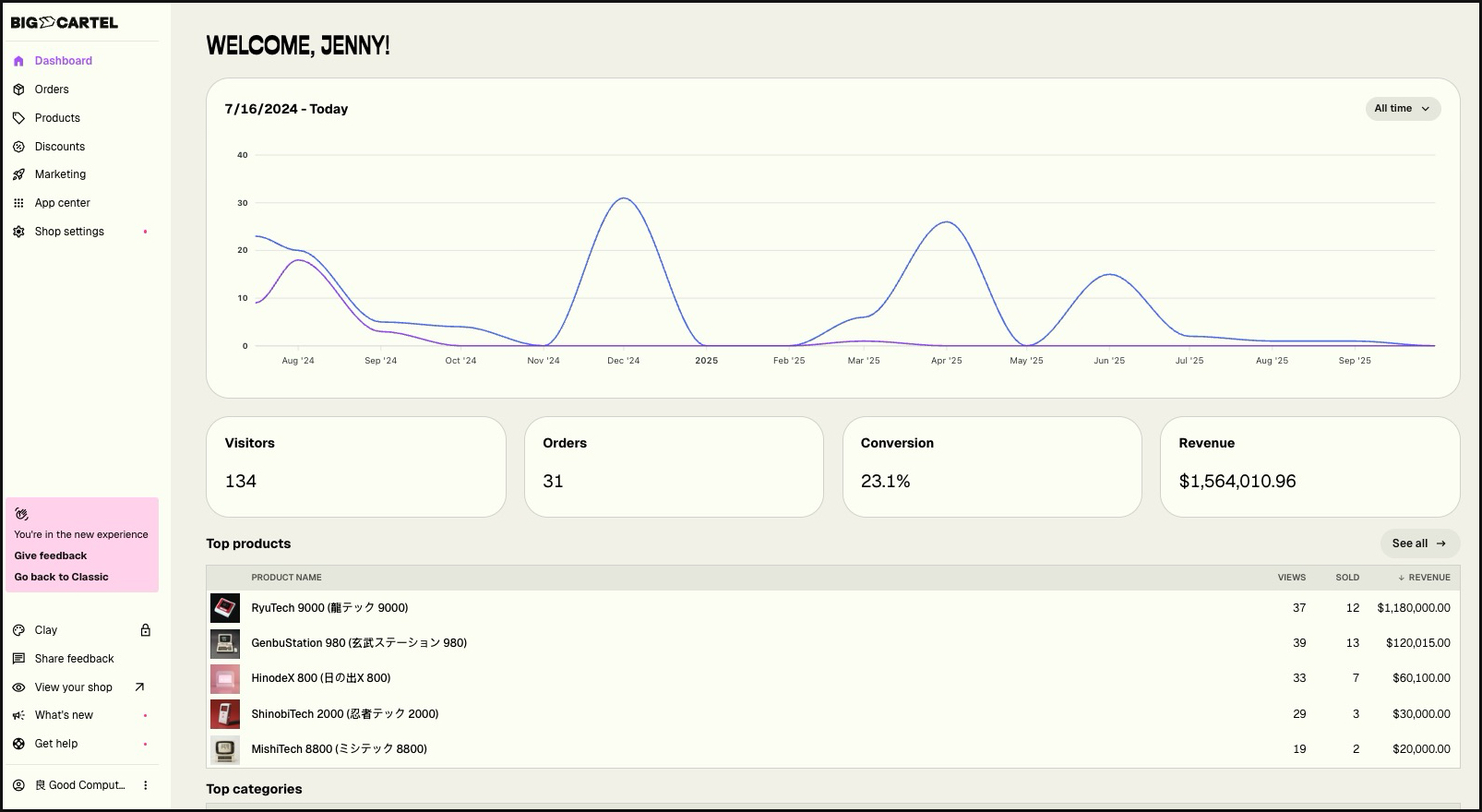
We've given the new shop admin a visual makeover! The new design brings a brighter, more modern feel to the dashboard while keeping everything exactly where you expect it.
What's new:
A cleaner, more spacious layout that's easier on the eyes
Pops of color with electric purple and lime green accents
Updated iconography throughout the platform
Playful illustrations that bring more personality to the experience
What hasn't changed: Everything works exactly the same way it always has. All your products, orders, settings, and features are in the same places—we've just made them nicer to look at.
Great news for international sellers! We've massively expanded our currency support from 20 to 135 currencies, making it easier than ever to sell to customers around the world.
What's New:
Display prices in the currency your buyers actually use—from Argentine Peso to South African Rand and everything in between
Switch between currencies anytime from your shop settings
Get paid in your preferred currency while showing prices in another (based on your payment provider settings)
Why This Matters:
Reduce buyer confusion and cart abandonment
Build trust with local pricing
Expand your reach to new markets
Let customers see exactly what they'll pay
Important Notes:
Some currencies are only available with specific payment providers (Stripe or PayPal)
You'll see a notification if your selected currency isn't compatible with your current payment setup
Your payout currency is managed through your payment provider—this update is about what your customers see on your storefront
Ready to update your shop's currency? Head to your Settings to select from our full list of supported currencies.